 Caloza
AI calorie & nutrition tracker
Log food in seconds, not minutes.
Snap a photo or tell Caloza what you ate. The AI fills in calories, protein, fat and carbs, so you can spend your time on your goals instead of your food diary.
Start with a free trial. Cancel anytime in your store account.
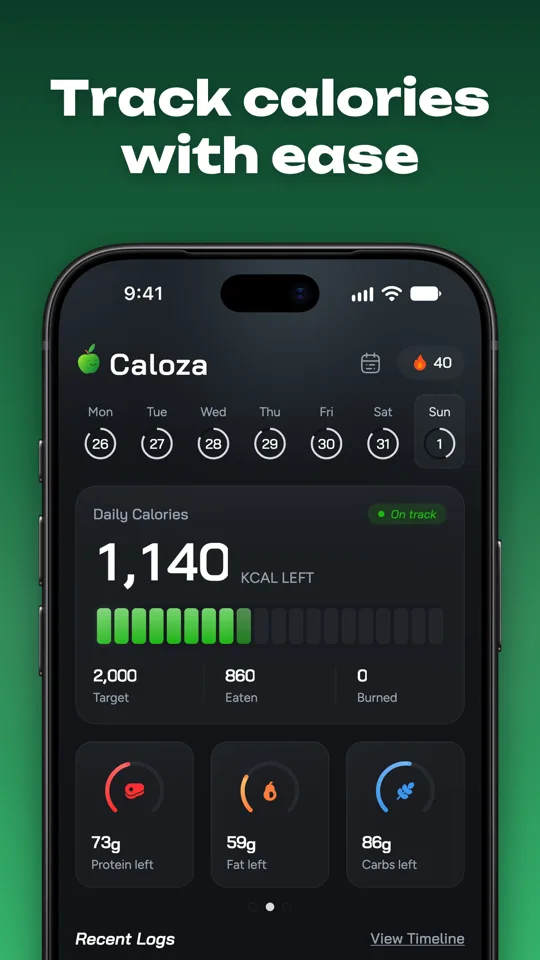
AI photo scan
Snap a meal and get calories and macros.
Chat to log
Say what you ate in plain words.
Goal plans
Daily targets and a finish date.
Fasting timer
One-tap fasts with live stages.
Streaks
Badges and freezes keep you going.
Recipes
Meal plans and shopping lists.
Everything you need to eat with intention
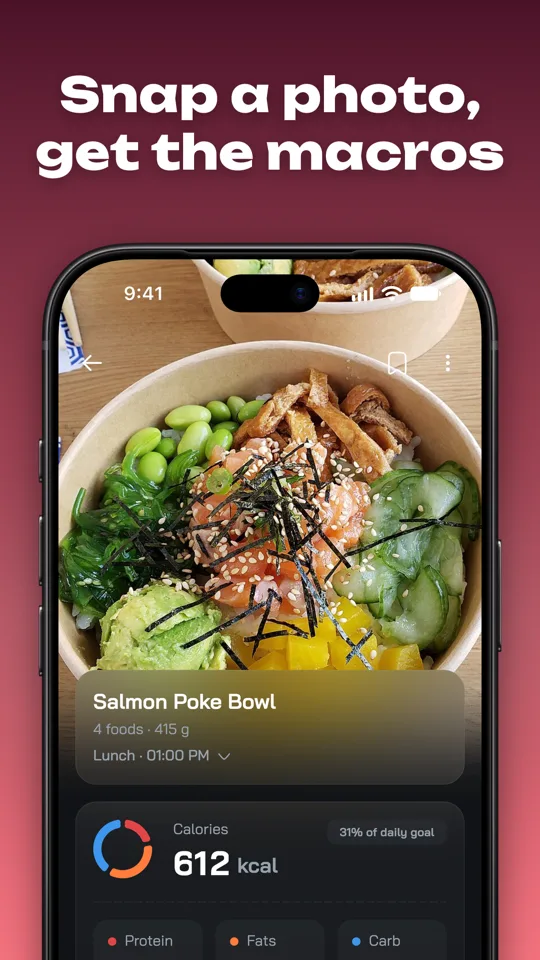
Snap a photo, get the nutrition
Point your camera at a meal and Caloza reads what is on the plate, estimates portions and fills in calories, protein, fat and carbs. Check the result, fix anything, and log it in one tap.
- Photo scan of meals
- Barcode, nutrition label and menu scan
- Edit every item before you log
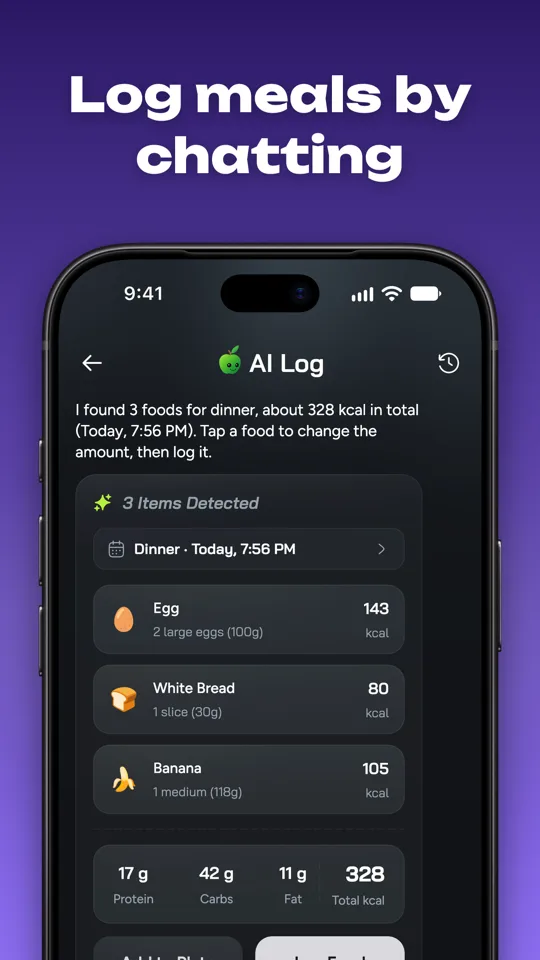
Log meals by just chatting
Type or say what you ate, like "two scrambled eggs, toast and a banana", and the AI turns it into foods you can log. Ask how many calories you have left or what to eat next.
- Natural language and voice logging
- Ask for meal ideas that fit your macros
- Your day, summarised on request
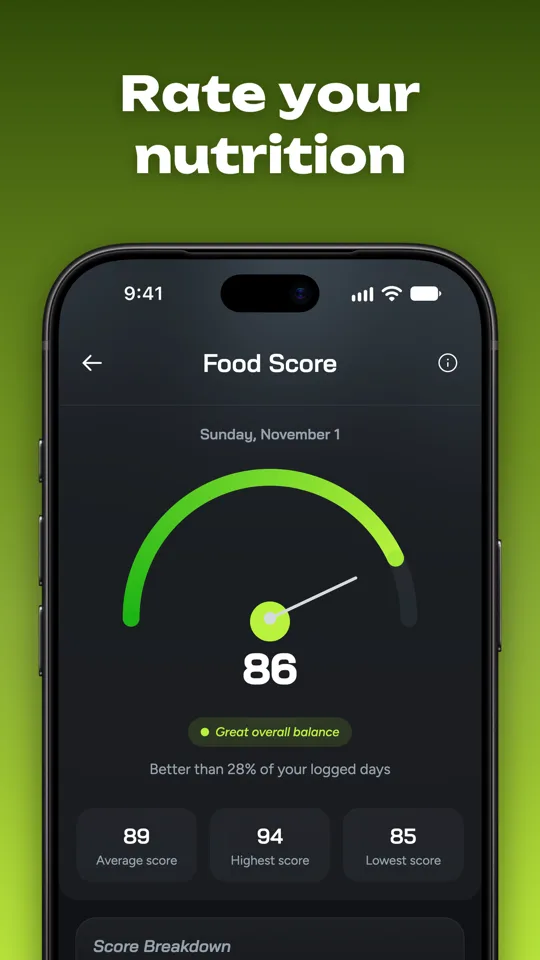
Go beyond calories
See fiber, sugar, sodium and other nutrients for what you eat. Every day gets a food score that shows how balanced your eating was and what to improve.
- Micronutrient breakdown
- Daily food score
- Large food database plus your own foods, meals and recipes
Reach your goal
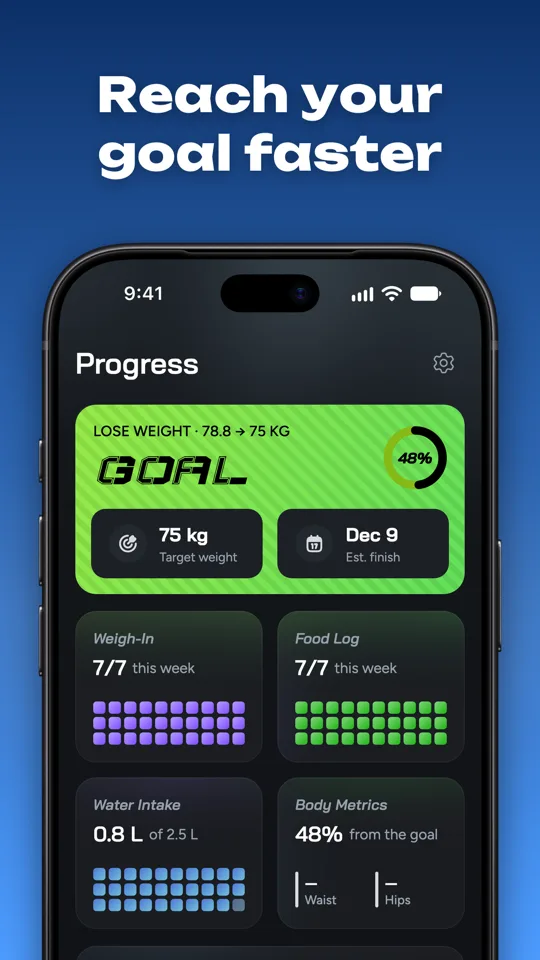
Set a goal to lose, maintain or gain weight. Caloza builds a daily plan, shows your estimated finish date, tracks your weight trend and adjusts with weekly check-ins.
- Personal daily targets
- Weight trend and body measurements
- Progress photos and weekly check-ins
Three steps to a logged day
- 1
Set your goal
Tell Caloza your goal and it builds a daily calorie and macro plan.
- 2
Scan or chat
Photograph your plate, scan a barcode or describe the meal.
- 3
Check and log
Review the estimate, tweak it if needed and tap to log.
Made for how you actually eat
Recipes & meal planning
Browse recipes that fit your diet and macros, plan your meals and build a shopping list.
Apple Health & Health Connect
Optionally bring in your step count so your activity is part of your day.
Your data, your call
Back up and export your data whenever you want, or delete your account in the app.
Dark & light themes
Pick your colors and style. Available in several languages.
Questions, answered
How accurate is the AI meal scan?
The scan gives you a quick estimate of the foods, portions and nutrition. It is not perfect, which is why you can review and edit every item before it is logged. Photos with good light and the whole plate in view work best.
Is Caloza free?
You can download Caloza and start with a free trial. Caloza Pro unlocks the full app. Subscriptions renew automatically unless cancelled at least 24 hours before the period ends, and you manage or cancel them in your App Store or Google Play account settings.
How do I cancel my subscription?
On iPhone, open Settings, tap your name, then Subscriptions. On Android, open Google Play, tap your profile, then Payments & subscriptions. Deleting the app or your Caloza account does not cancel a subscription by itself.
How do I delete my account and data?
In the app, open Settings and choose Delete Account. You can also follow the steps on our Delete your account page, or email us from the address on your account.
Does Caloza give medical advice?
No. Caloza is a tracking and information tool. Talk to a doctor or dietitian before you change your diet, especially if you have a health condition, are pregnant, or have a history of disordered eating.
Which devices are supported?
Caloza is built for iPhone and Android phones. Apple Health and Health Connect are optional.
I found a bug or have an idea. Where do I send it?
Use Contact Support or Send Feedback inside the app, or email us. Include your phone model and what you were doing and we will get back to you.
Start logging smarter today
Download Caloza and start with a free trial.